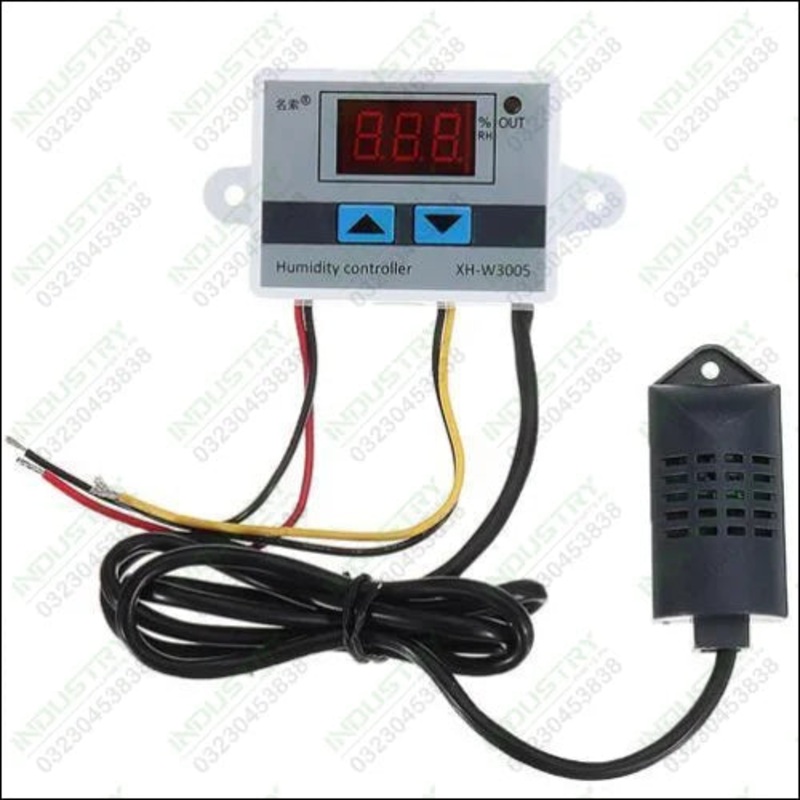
Connect the power supply, display instructions humidity Set the starting humidity: press the UP button to display the starting humidity, press and hold for about 3 seconds to start the humidity flashing, then press UP or DOWN to adjust the setting. Set sto

Set the starting humidity: press the UP button to display the starting humidity, press and hold for about 3 seconds to start the humidity flashing, then press UP or DOWN to adjust the setting.
Set stop humidity: press the down button to display the stop humidity, press and hold for about 3 seconds to stop the humidity flash, then press UP or DOWN to adjust the setting.
Restore factory settings: Press UP and DOWN at the same time, 888 will be displayed, then the humidity will be detected automatically.
Industryparts.pk Best Online Shopping website for XH-W3005 Digital Humidity Controller AC 220V Humidity Control Switch. Here you get XH-W3005 Digital Humidity Controller AC 220V Humidity Control Switch at a reasonable price in Karachi, Lahore, Islamabad, Rawalpindi, Peshawar, Quetta, Multan, and all over Pakistan.
1 xXH-W3005 Digital Humidity Controller AC 220V Humidity Control Switch



Reviews
There are no reviews yet.